Wired vs. Wireless Controls
What is the difference between a wired and wireless door-opener button?
Wired push plates use low-voltage wire connected directly to the door operator. They work with most operators and provide dependable communication, although running new wire can make installation more difficult. Replacing an existing wired button is usually straightforward because the existing wire can often be reused.
Wireless push plates and remotes send a radio signal to a receiver connected to the door operator. They are easier to place because no control wire has to be run from the button to the operator.
Wireless components must use a compatible frequency and coding system. Do not order a wireless button based only on its appearance.
How do I know which wireless frequency my door opener uses?
Check the labels on the existing receiver and transmitter, the operator manual, or the model information inside the motor housing. Door-opening systems may use frequencies such as 300 MHz, 310 MHz, 318 MHz, or 900 MHz, and matching the frequency alone may not guarantee compatibility.
If you cannot identify the system, send CareProdx clear photos of the existing button, transmitter, receiver, labels, and door operator. We can help determine whether a compatible replacement is available.
What is a wireless conversion kit?
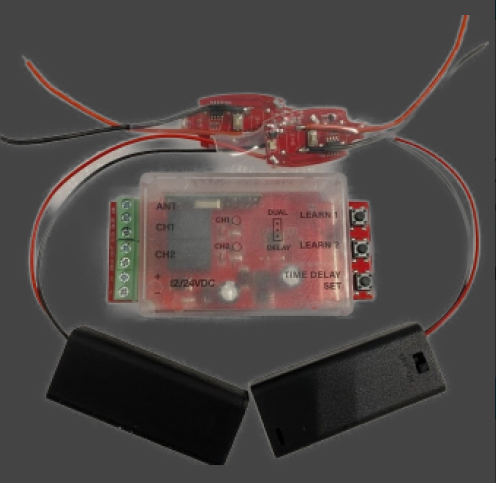
A wireless conversion kit includes a receiver that connects to the door operator and one or more compatible transmitters, push plates, or buttons. Because the receiver and transmitters are designed to work together, a conversion kit can be the simplest way to replace an obsolete or unknown wireless system.
It can also convert a nonworking wired-button system to wireless operation when running new control wire would be difficult.
Mounting and Placement
Where should ADA door-opener push buttons be mounted?
Mount the button where a person using a wheelchair or walker can approach it, reach it easily, and activate the door without standing in the path of the moving door. The control should remain visible and accessible when the door is open, with clear floor space at the button.
Plan the location around the user's approach and the door swing, not simply the shortest distance to the door operator.
What height should an ADA push button be mounted?
A common installation range is 34 to 48 inches above the finished floor, measured to the center of the button. Requirements can vary by application and local code, so confirm the final location with the authority having jurisdiction before installation.
How far can a wireless push button be from the door opener?
Many wireless controls can communicate from approximately 25 to 50 feet under normal conditions. The dependable range can be reduced by walls, metal framing, electrical interference, receiver location, and battery condition.
Test the control in its intended location before permanently mounting it.
Replacement and Compatibility
Can I replace a wired ADA door button with a wireless button?
Yes. You can replace the existing button with another wired push plate, or install a wireless conversion kit. A conversion kit normally includes a receiver that wires into the door operator and compatible transmitters for the interior and exterior controls.
View the 900 MHz wireless door-button kit.
Will any wireless push button work with my existing door opener?
No. Wireless buttons must be compatible with the receiver's frequency and coding system. A button that looks identical or operates on the same general frequency may still fail to communicate with your receiver.
When compatibility is uncertain, a matched transmitter-and-receiver kit is usually safer than buying a transmitter alone.
Push Buttons vs. Touchless Controls
Should I choose a push button or a wave-to-open sensor?
Choose based on the application. A standard push button is simple, familiar, and usually the most practical option for general commercial accessibility. A wave-to-open sensor provides touchless activation and can be helpful in healthcare, food-service, restroom, and other hygiene-sensitive settings.
Touchless sensors normally require continuous power so they can detect a hand motion. That may require direct wiring or a nearby power supply, even when the sensor communicates wirelessly with the door operator.